UX Audit Report
What you get at the end of a Spark engagement: where users lose time, why it happens, and what to fix first.
This is a sample. Acme Approvals is a fictional product, and all findings and numbers are illustrative. A real report follows the same structure and contains 15–30 findings.
The product
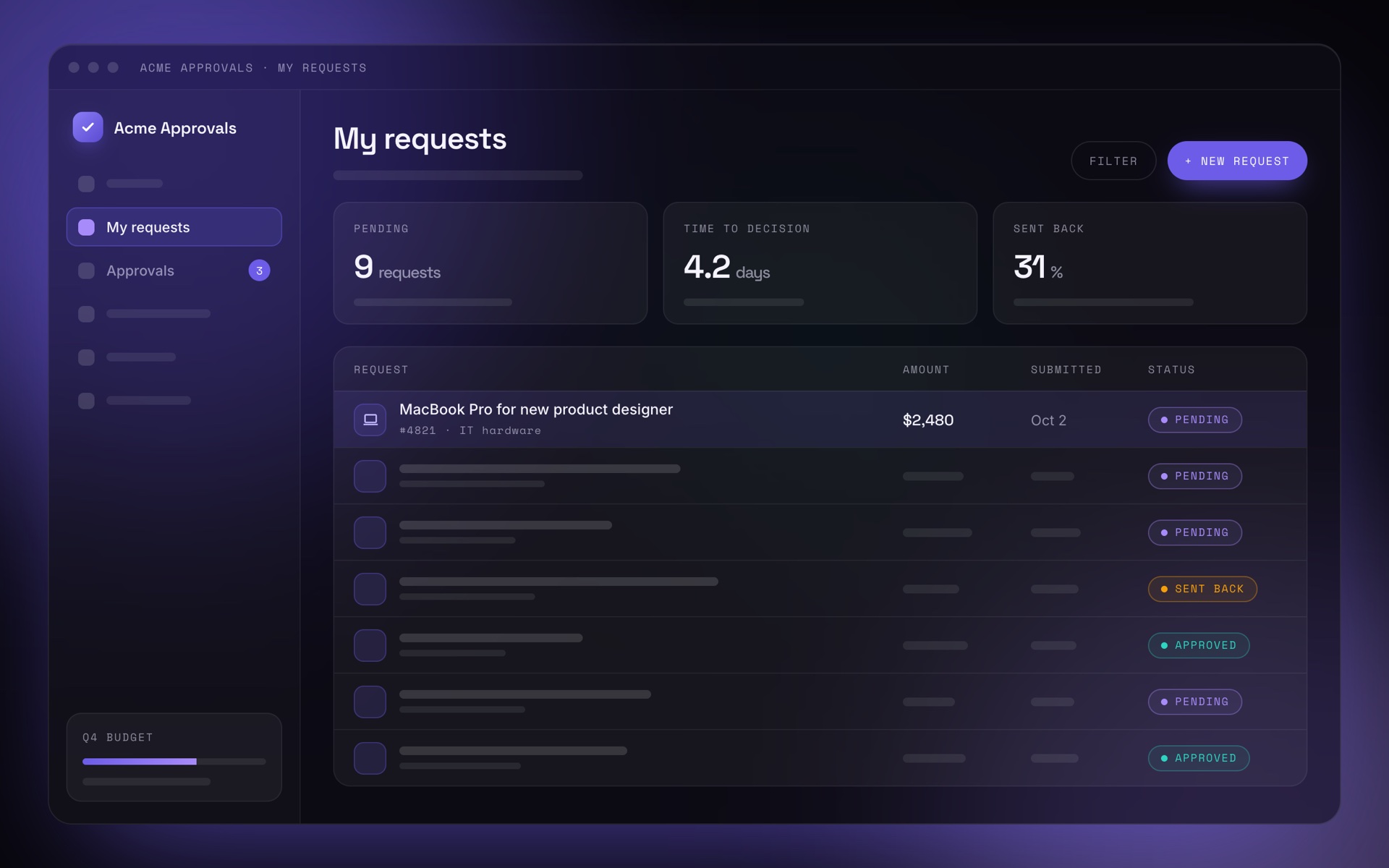
Acme Approvals is a purchase request and approval tool for mid-size companies. Employees request what they need, managers and finance approve, and a purchase order goes out to the supplier.
Summary
Requests don't stall at approval. They stall before and after it.
Requesters can't see where their request is, the form reveals what's required only after they submit, and approvers work around the product instead of in it. Three quick wins fit into one sprint and target the biggest source of support tickets.
Evidence
Every finding is backed by at least two of these sources:
- Expert review of 42 screens against usability heuristics
- Product analytics from the last 90 days
- 214 support tickets, clustered by topic
- 6 stakeholder interviews with product, engineering, support and sales
- 5 usability sessions with requesters and approvers
Friction map
Where friction concentrates across the life of a request. Two stages cause most of it: adding details and tracking status.
Top findings
5 of 23 findings, ranked by impact and effort. Each one says what happens, how we know, why it matters and what to change.
Requesters can't see where their request is stuck
- Evidence
- 38% of support tickets are status questions. In 5 of 5 sessions, participants searched their email to find out who has to approve next.
- Why it matters
- Requesters chase approvers by email and chat, which creates support load and still doesn't speed up the decision.
- Recommendation
- Show a status timeline on the request: current step, current approver, time in step and expected decision date, plus a reminder action once a step is overdue.
- Next step
- Spec and prototype, shown in the Ignite sample.
Requirements show up only after a request is sent back
- Evidence
- 31% of requests are sent back for missing information. In 4 of 5 sessions, participants learned that a supplier quote was required from the rejection email.
- Why it matters
- Every send-back adds 1.8 days on average and is the most common reason approvals feel slow.
- Recommendation
- Show what each category requires before the form starts, validate inline, and let approvers ask for one missing item without sending back the whole request.
Bulk approval is hidden in an overflow menu
- Evidence
- Only 12% of approvers have used bulk approval. None of the 3 approvers in the sessions found it without help.
- Why it matters
- Approvers with many small requests open them one by one, or wait and approve them later from email.
- Recommendation
- Show checkboxes in the approvals list and a summary bar with the number of selected requests and their total amount.
Three names for the same thing
- Evidence
- "Request", "Order" and "Ticket" all describe the same object across 42 screens. Support replies use a fourth term, "PR".
- Why it matters
- New users aren't sure whether they're looking at one item or three, and help articles are hard to search.
- Recommendation
- Use "Request" everywhere, add a short glossary to the design system, and do one copy pass across all screens.
Approval rules are hard to set up and impossible to test
- Evidence
- New admins needed support to set up their first approval rule. Rule changes go live immediately, without a preview.
- Why it matters
- Wrong rules route requests to the wrong people, so admins avoid changing them and workarounds pile up.
- Recommendation
- A rule builder that explains each rule in plain language and lets admins test it with a sample request before publishing.
Priorities
Impact against effort, so your team knows what to do first.
Roadmap
The findings, grouped into what to ship now, next and later.
- F-01 Status timeline
- F-03 Visible bulk approval
- F-04 One term: "Request"
- F-02 Requirements before the form
- F-02 Ask for one missing item
- F-05 Rule builder with preview and test mode
In the full report
- All findings with evidence, screenshots and recommendations
- Friction maps for every audited workflow
- A ranked backlog in Jira, ready to pull into a sprint
- A readout with your team to agree on priorities
Tell me what's not working, and I'll come back with first thoughts and whether an audit makes sense.
Send inquiry