Services

How We Can Work Together

From first audit to build-ready specs in weeks, not months. No guesswork, no wasted sprints. Choose your starting point.

Not sure which one fits? Take the quick assessment

S

Spark (UX Audit)

Find out where your product loses users, and what to fix first.
1 – 2 weeks
Sample deck · UX audit readout Open the full report →
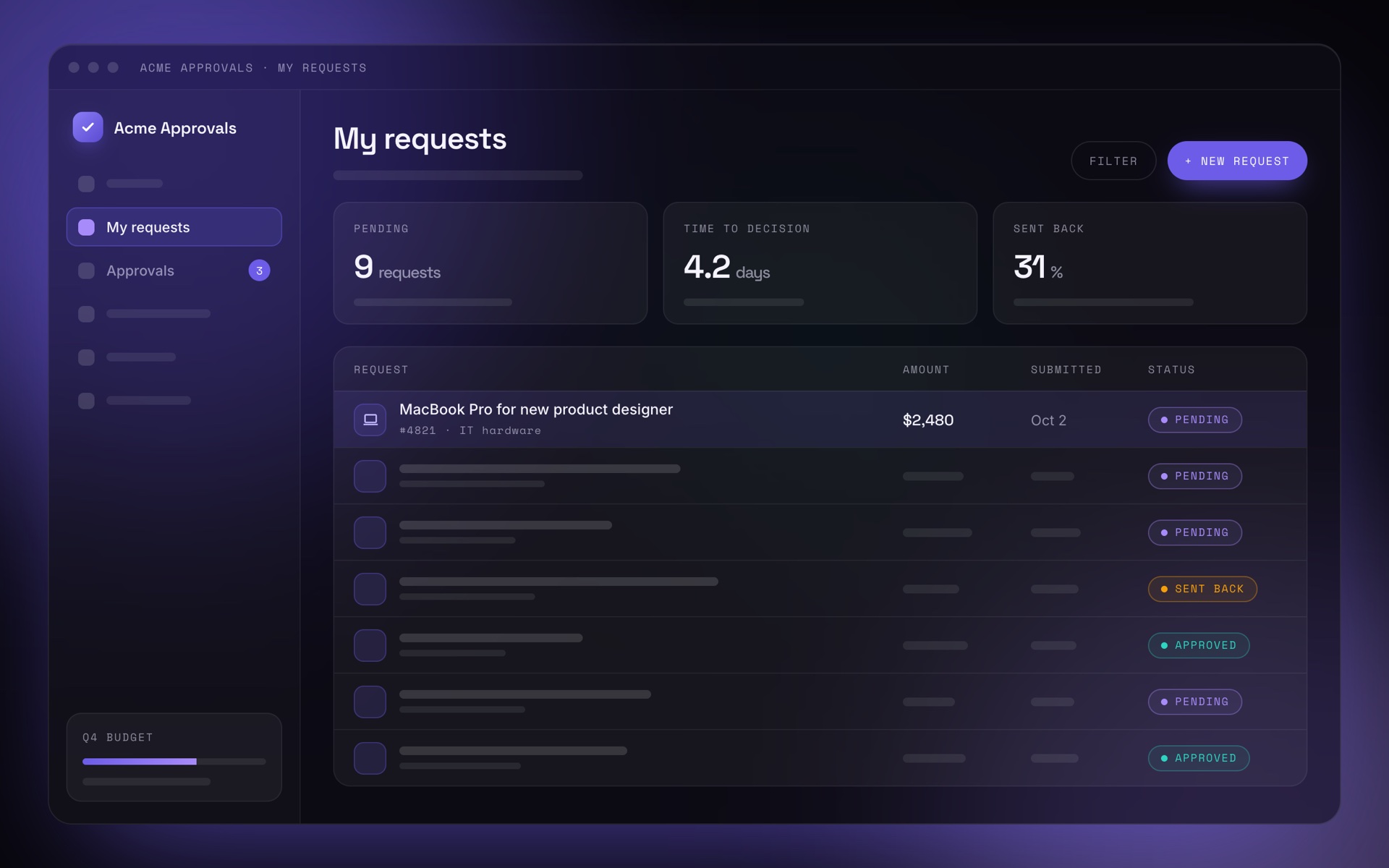
Acme Approvals, the My requests screen UX audit readout

Where requests stall in Acme Approvals

What we found in three core workflows, and what to fix first.

Scope
Submit, approve, track
Evidence
42 screens, 214 tickets, 5 sessions
Findings
23, ranked by impact
Sample deliverable · Acme Approvals is a fictional product01
Summary

Requests don’t stall at approval. They stall before and after it.

38%
of support tickets ask “Where is my request?”
31%
of requests are sent back for missing information
4.2days
median time from submit to decision
12%
of approvers use bulk approval
Acme Approvals · UX audit readoutSample · 02
Friction map

Two stages cause most of the friction

01
Create
47 categories, no search
02
Add details
Required fields show up only after submitting
03
Submit
No summary before sending
04
Approve
Bulk approval is hard to find
05
Track
No status or current approver
06
Close
Purchase order arrives by email only
High frictionMediumLow
Acme Approvals · UX audit readoutSample · 03
Finding F-01 of 23

Requesters can’t see where their request is stuck

High impactLow effortQuick win
Evidence

38% of support tickets are status questions. 5 of 5 participants searched their email for the current approver.

Why it matters

Requesters chase approvers by email and chat. Support load goes up, and decisions don’t get faster.

Recommendation

A status timeline on every request: current step, approver, time in step and expected date, plus a reminder once a step is overdue.

Acme Approvals · UX audit readoutSample · 04
Priorities

Three quick wins fit into one sprint

Quick wins F-01 F-03 F-04
Big bets F-02 F-05
Fill-ins
Reconsider
Impact → Effort →
  • F-01Status timeline
  • F-02Requirements before the form
  • F-03Visible bulk approval
  • F-04One term: “Request”
  • F-05Rule builder with preview
Acme Approvals · UX audit readoutSample · 05
Roadmap

What to ship now, next and later

Now
Next sprint
  • F-01 Status timeline
  • F-03 Visible bulk approval
  • F-04 One term: “Request”
Next
1–2 months
  • F-02 Requirements before the form
  • F-02 Ask for one missing item
Later
This quarter
  • F-05 Rule builder with preview and test mode
Acme Approvals · UX audit readoutSample · 06

  • Expert review of core workflows against usability heuristics
  • Analytics and support ticket review
  • Ranked findings, quick wins and a roadmap
Send inquiry
Ideal for Teams with a live product whose users struggle: low adoption of key features, long onboarding, a heavy support load, or a legacy UI
Process
  1. Week 1Kickoff, stakeholder interviews, access to product and data.
  2. Week 2Workflow review and user sessions.
  3. Week 3Synthesis: friction map, findings, priorities.
  4. Week 4Readout with your team; backlog handed over.
M

Ignite (Spec & Prototype)

Turn findings or mixed input into a solution your team can build without guessing.

3 – 6 weeks Most popular
Sample deck · Spec & prototype walkthrough Open the full spec →
Acme Approvals, the My requests screen Spec & prototype

Request status timeline

Audit finding F-01, turned into a working prototype and a spec your team can build from.

Input
Finding F-01 from the UX audit
Scope
Timeline, overdue state, delegates
Output
Prototype, spec, Jira tickets
Sample deliverable · Acme Approvals is a fictional product01
Problem

Requesters can’t see where a request is stuck

After submitting, the product shows “Pending” and nothing else. So people chase approvers and open support tickets.

Success metricTodayTarget
Status questions in support38% of ticketsUnder 15% within 2 months
Time to find the current approver2–3 minutes, searching emailUnder 10 seconds in testing
Requests overdue by 3+ days22%Under 10%
Acme Approvals · Request status timelineSample · 02
Prototype

Who has the request, and for how long

  1. Current step and ownerNo more searching email for who has it.
  2. Overdue after the step’s targetMarked in the timeline, with days over target.
  3. One reminder per 24 hoursRequesters can nudge without spamming.
Acme Approvals · Request #4821
#4821 · IT hardware
MacBook Pro for new product designer
$2,480 · requested by you on Oct 2
Overdue
  1. ✓
    Submitted
    Oct 2 · by you
  2. ✓
    Team lead approval
    Sam Rivera · approved Oct 3
  3. !
    Finance review
    Priya Shah · waiting 5 days · 3 days over target
  4. Purchase order
    Created automatically after approval
Send reminderGoes to Priya Shah
Acme Approvals · Request status timelineSample · 03
User flow

From opening a request to the approver’s decision

OpensThe requester opens a submitted request
SeesThe current step, who owns it and how long it has waited
ChecksWaiting longer than the step’s target?
ActsYes: send a reminder, once every 24 hours. No: see the expected date.
The approver decides
ApprovedA purchase order is created, ready to download
Sent backThe reason and missing items appear, then “Edit and resubmit”
RejectedThe reason appears, with “Duplicate as new request”
Acme Approvals · Request status timelineSample · 04
Acceptance criteria

One ticket per criterion, so QA tests exactly what was specified

AC-1Current step
GIVEN a request in review, WHEN the requester opens it, THEN the timeline shows the current step, the approver’s name and the time in step.
AC-2Overdue
GIVEN a step that has waited longer than its target, WHEN the requester opens the request, THEN the step is marked “Overdue” and “Send reminder” is enabled.
AC-3Reminder limit
GIVEN a reminder was sent less than 24 hours ago, THEN “Send reminder” is disabled and shows when the next one is possible.
Acme Approvals · Request status timelineSample · 05
Handoff

Ready for the next sprint

  • Working prototype, ready for user testing
  • Spec in Markdown or Confluence: flows, states, edge cases
  • A Jira ticket for each acceptance criterion
  • Walkthrough with product, engineering and QA
Decisions and open questions

Do approvers see how many reminders were sent?

Decided: show the count, not who sent them

Default target per step: 2 business days?

Open: decide at sprint planning

Acme Approvals · Request status timelineSample · 06

  • Solutions for your top-priority problems
  • Working prototype, ready for user testing
  • Build-ready specs: flows, edge cases, acceptance criteria
Send inquiry
Ideal for Teams that know what's broken, from an audit or their own research, and need a validated, buildable answer. Especially for complex workflows & data-heavy features
Process
  1. Week 1Align on the problem, constraints and success metrics.
  2. Week 2–3Concepts and a working prototype on real data.
  3. Week 3–4Test with real users, refine.
  4. Week 5–6Write the spec, walk your team through it.
L

Orbit (Embedded Partner)

Strategic and hands-on UX support as part of your team, without a full-time hire.

3 – 6 months
Sample deck · Monthly update Open the full sample →
Acme Approvals, the My requests screen Monthly update · Month 4

UX partnership with Acme Approvals

Progress against the six-month roadmap, what we learned, and what comes next.

Period
Month 4 of 6
Rhythm
Weekly working session, monthly update
With
Product, engineering and support
Sample deliverable · Acme Approvals is a fictional product01
UX metrics · Month 4

The same four numbers, every month

19
status tickets per week
Was 41 −54%
18%
of requests sent back
Was 31% −13 pts
46%
of approvers use bulk approval
Was 12% +34 pts
2.6days
median time to decision
Was 4.2 days −38%
Acme Approvals · Monthly update, month 4Sample · 02
This month

What shipped, what we learned, what’s next

Shipped
  • Status timeline for all customers
  • Bulk approval with a selection summary
  • One term, “Request”, across 42 screens
Learned
  • 62% of overdue steps are decided within a day of a reminder
  • Approvers on mobile miss the selection summary
  • Admins want to copy rules between departments
Next
  • Test “requirements before the form” with 5 requesters
  • Start rule builder research with 4 admins
  • Spec the selection summary for mobile
Acme Approvals · Monthly update, month 4Sample · 03
Six-month roadmap

On track at month 4 of 6

Month 1Month 2Month 3Month 4 · nowMonth 5Month 6 Audit UX audit and roadmap Spec & ship Status timeline, bulk approval, one term Requirements before the form Discovery Rule builder: research and spec Measure Monthly UX metrics review Guidelines Patterns and guidelines in the design system
Acme Approvals · Monthly update, month 4Sample · 04
Guidelines · excerpt

Status and progress

For everything that moves through steps: requests, approvals, purchase orders.

DoName who is responsible for the next step.
Don’tShow a status without an owner, like “Pending”.
DoShow the time in step and the expected date.
Don’tShow raw timestamps only.
Acme Approvals · Monthly update, month 4Sample · 05
For leadership

Two decisions for this month

  1. Start rule builder research
    Interviews with 4 admins in month 5. Needs admin contacts from customer success.
  2. Selection summary on mobile first
    Approvers on mobile miss it today. Recommendation: ship it before the rule builder.
Acme Approvals · Monthly update, month 4Sample · 06

  • Audit and a prioritized UX roadmap
  • Spec-driven delivery, feature by feature, alongside your engineers
  • Regular user testing and UX metrics (task success, time on task, adoption)
  • Guidelines that keep UX consistent
Send inquiry
Ideal for Organizations modernizing a legacy product or scaling a complex platform
Process
  1. Month 1Audit and roadmap.
  2. Month 2–3Specs written, first priorities shipped.
  3. Month 3–4Measure, test, iterate.
  4. Month 5–6Scale the patterns, hand over guidelines.
Not sure? Take the quick assessment